Vector design that keeps up
Lines, shapes, text, booleans, offset, node editing and grouping — with snapping, guides and precise numeric entry.
Open source · MIT · Windows, macOS & Linux
OpenBurn is a free, open-source studio for laser cutting and engraving. Design, set cut layers, preview every path and drive your GRBL machine — with full .lbrn/.lbrn2 compatibility.
v0.9.0 · No account · No telemetry · Works offline
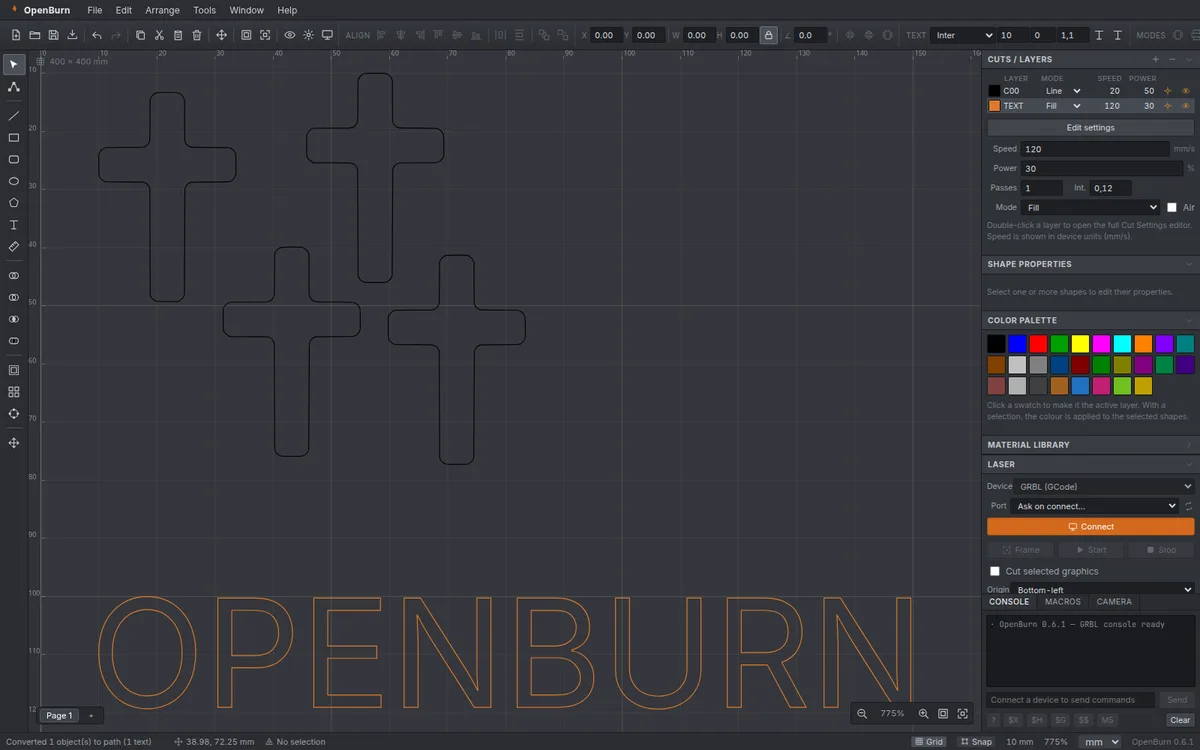
The whole workflow
Draw, set cuts, preview and send to the machine. No subscriptions, no feature gates, no account.
Lines, shapes, text, booleans, offset, node editing and grouping — with snapping, guides and precise numeric entry.
A Cuts / Layers table with Line, Fill, Offset Fill and Image modes, speed and power, passes, interval and per-layer kerf.
Scrub through the job, watch the laser head travel and get a time estimate and per-layer statistics before you burn anything.
Connect over Web Serial or use the built-in simulator. Frame, start, pause, resume, jog, home and set origin.
Generate real calibration matrices with one layer per cell, then save the results to a reusable material library.
Brightness, contrast, gamma, levels and curves; ten dithering modes; one-click vector tracing with a live preview.
See it in action
Real screenshots of the app, not mockups. Click through the workflow from design to machine.
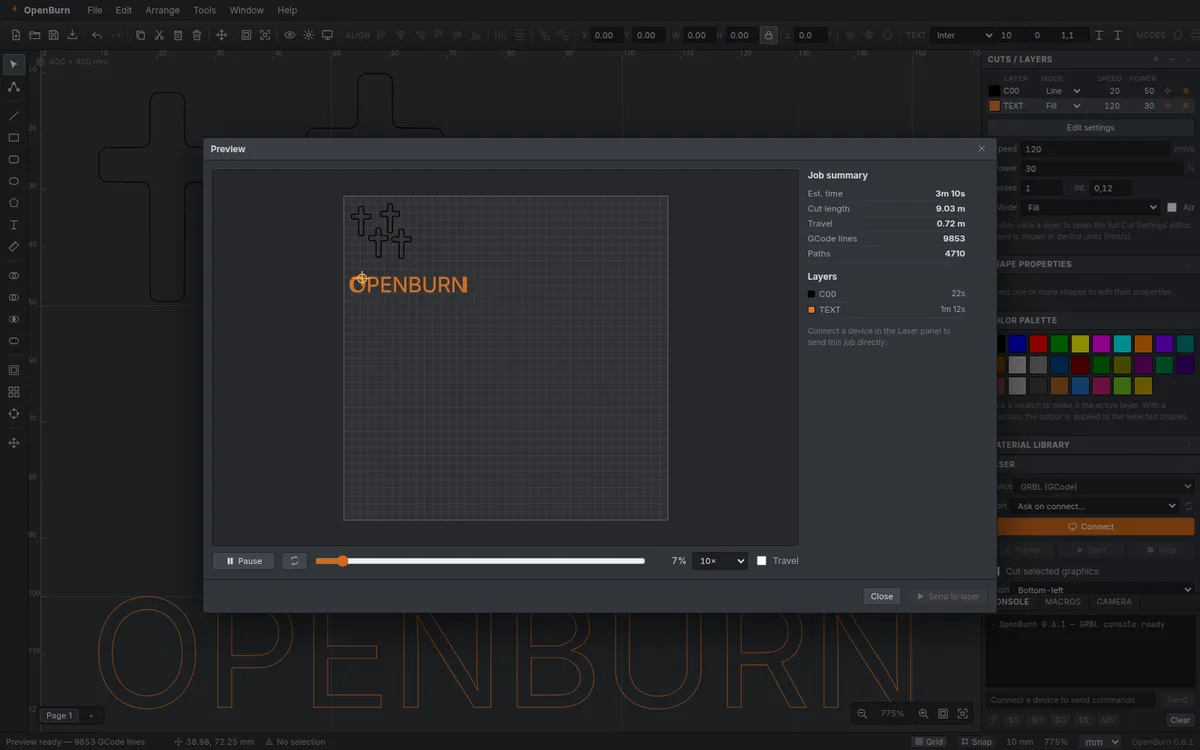
Every path, every travel move and the animated laser head. Check the estimated time and per-layer statistics, then start with confidence.
A LightBurn-style table with mode, speed, power, passes, interval and output toggles — plus a full cut settings editor for advanced options.
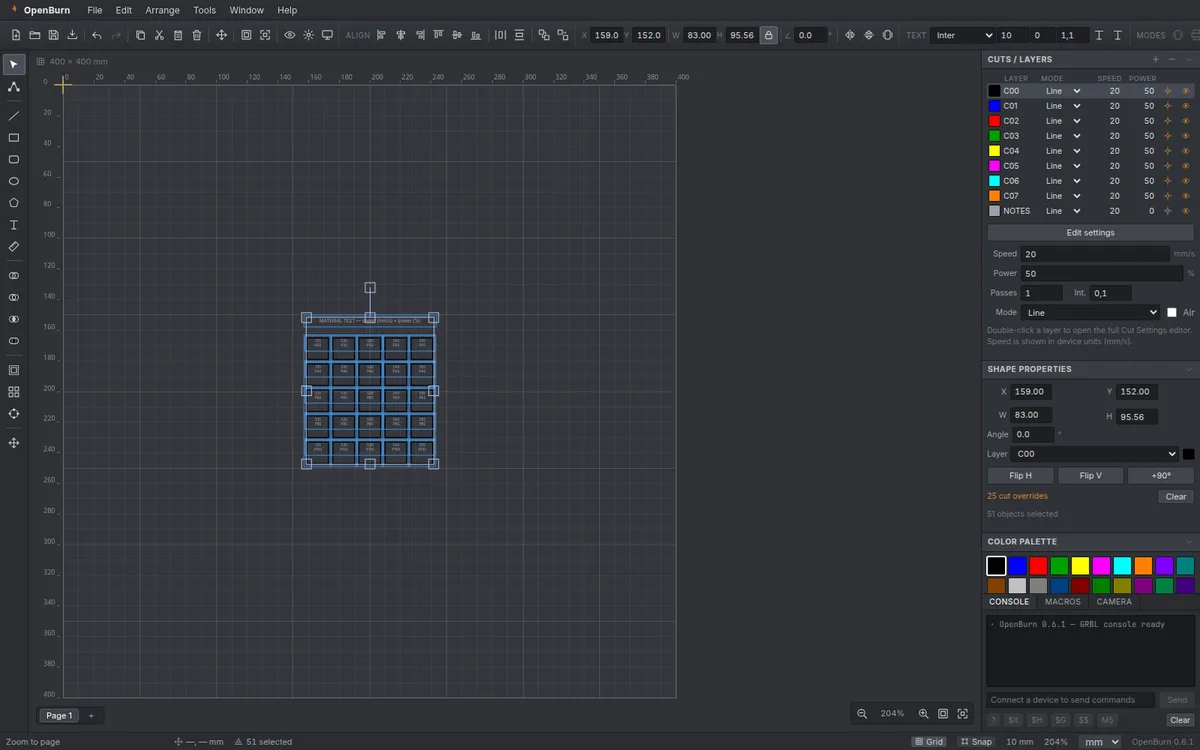
Generate a power × speed matrix with real sublayers, run the job and keep the winning settings in your material library.
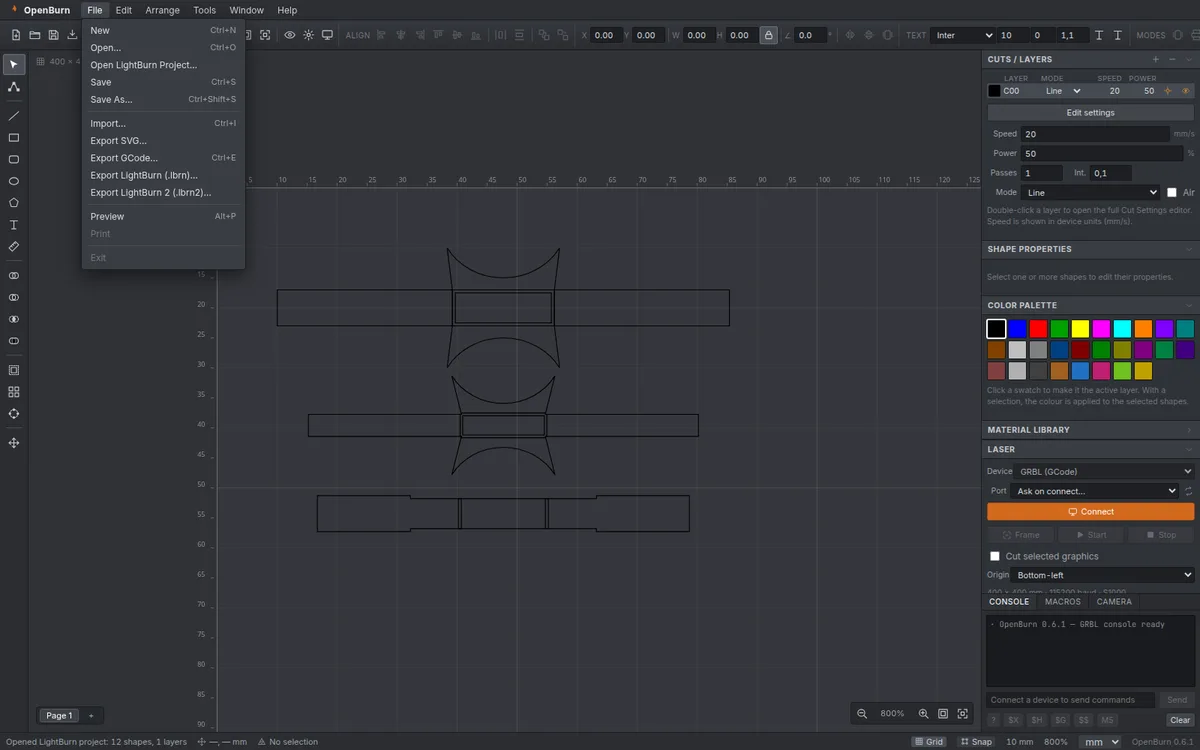
Open and export LightBurn projects with layers, groups, cut settings, text backup paths and bitmaps. Migrate without losing your library.
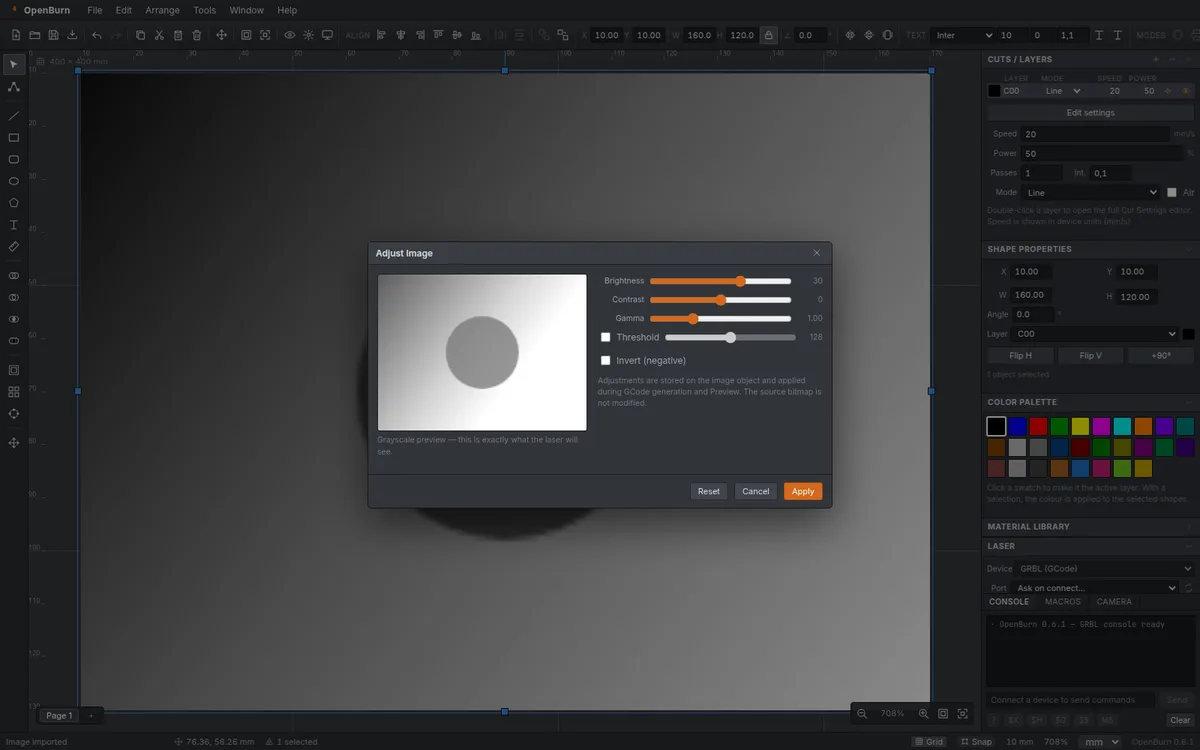
Adjust levels and curves, pick a dithering mode, then trace the image into editable vectors with a preview before you apply.
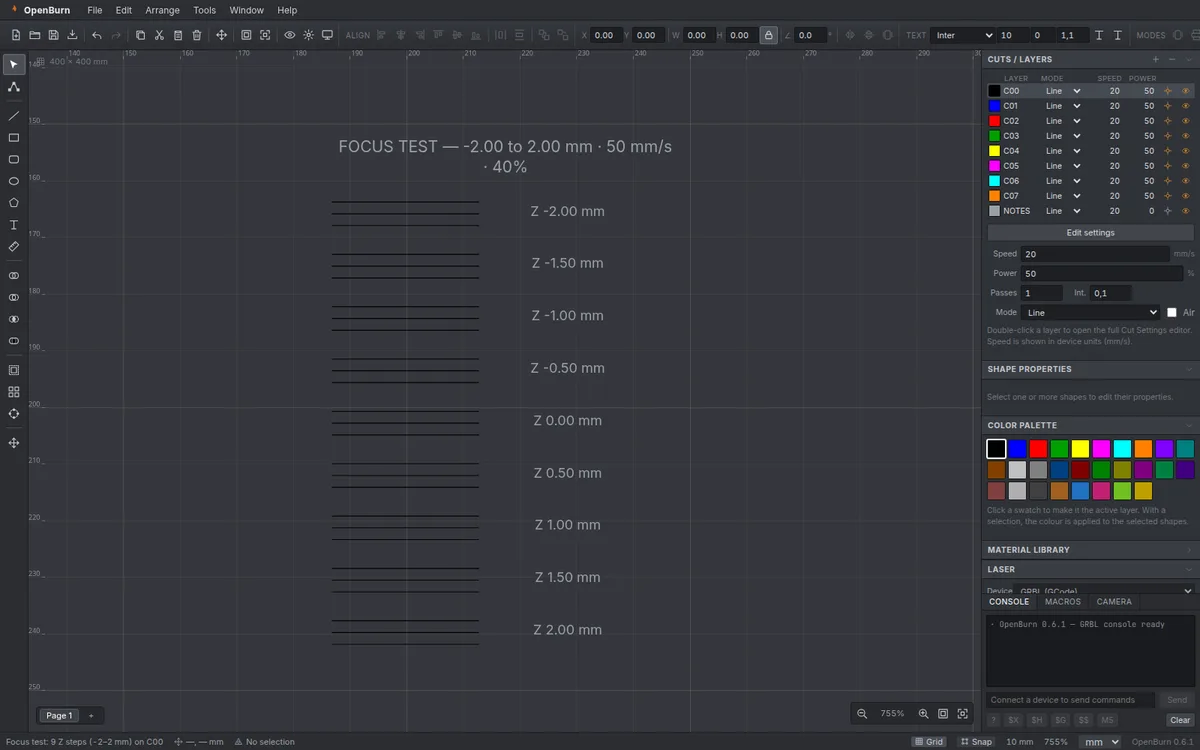
Run a Z ramp with labelled steps, then apply the measured offset per object. Kerf and interval tests complete the calibration set.
Honest comparison
LightBurn is a mature, excellent product. OpenBurn is a free, open-source alternative that already covers the core workflow — and we are upfront about what is still missing.
| Feature | OpenBurn | LightBurn |
|---|---|---|
| Price | Free, forever | Paid license |
| Source code | Open (MIT) | Closed |
| Platforms | Windows, macOS & Linux | Windows & macOS (Linux beta) |
| .lbrn / .lbrn2 files | Read & write | Native format |
| GRBL control | Yes, plus simulator | Yes |
| Animated preview | Yes | Yes |
| Material, interval & kerf tests | Yes | Yes |
| Image tracing | Yes | Yes |
| Ruida / DSP controllers | On the roadmap | Yes |
| Cameras & Print & Cut | On the roadmap | Yes |
| Code-signed installers | Not yet | Yes |
Based on publicly documented features as of 2026. LightBurn is a trademark of LightBurn Software Inc. OpenBurn is not affiliated with, endorsed by or sponsored by LightBurn.
Download
Download the latest build from GitHub Releases. Every release is built by CI on Windows, macOS and Linux.
Installer · .exe
Unsigned build: SmartScreen may ask you to confirm.
Download for WindowsDisk image · .dmg
Unsigned build: right-click → Open the first time.
Download for macOSAppImage · .AppImage
Flatpak manifest available; Flathub review pending.
Download for LinuxUp and running
No installer key, no account and no trial timer. Just download and draw.
Grab the build for your operating system and launch it. That is the whole setup.
Start from scratch or bring SVG, DXF, images and LightBurn projects straight onto the bed.
Plug in a GRBL controller over USB, or explore the entire workflow with the built-in simulator.
Node.js 22.22+ and npm 10+ are all you need to run the desktop app in development.
git clone https://github.com/SJLS27/openburn.git
cd openburn
npm install
npm run dev:electron
FAQ
Everything people ask before trying OpenBurn.
Yes. The whole app is MIT-licensed: no paid tiers, no feature gates and no account. You can use it commercially, modify it and redistribute it.
OpenBurn reads .lbrn and .lbrn2 and writes both back. Layers, groups, cut settings, text backup paths and bitmaps are supported. A few advanced features are still missing, and the compatibility notes in the docs list the exact limits.
Not yet. OpenBurn currently targets GRBL-based machines. Ruida/DSP and galvo support are on the roadmap.
No. The app runs fully offline and sends no telemetry. The update check is the only optional network request.
Builds are not code-signed yet. On Windows choose More info → Run anyway. On macOS right-click the app and choose Open. Signed builds are planned.
Yes. The MIT license lets you use OpenBurn for any purpose, including paid work. Attribution is appreciated but not required.
Download OpenBurn, open a project and preview your first cut in minutes.
If OpenBurn saves you time, you can help fund the next release.