Vector design
Line, rectangle, rounded rectangle, ellipse, polygon, text and measure tools. Multi-select, move, scale, rotate, flip, align, distribute, group, reorder and edit nodes.
Features
Everything from the first vector to the final pass: design, cut settings, preview, calibration and machine control in one desktop app.
What's inside
No add-ons, no paid modules, no feature gates.
Line, rectangle, rounded rectangle, ellipse, polygon, text and measure tools. Multi-select, move, scale, rotate, flip, align, distribute, group, reorder and edit nodes.
LightBurn-style layer table with Line, Fill, Offset Fill and Image modes, speed, power, passes, interval, output and air toggles. Advanced settings include overcut, lead-in/out, Z offset and kerf.
Scrub the timeline, watch the head follow travel moves, and read the estimated time plus statistics for every layer before sending a job.
Web Serial or built-in simulator, flow-controlled streaming, Frame, Start, Pause/Resume, Stop, jog, homing, unlock and set origin. Live position, feed and progress.
Material test (power × speed), interval test, focus test with a Z ramp and kerf test. Results can be saved to a reusable material library.
Import PNG, JPG, GIF, BMP and WebP. Adjust brightness, contrast, gamma, levels and curves; choose from ten dithering modes; trace to vectors with a live preview.
Convert text to outlines with opentype.js and the bundled Inter font, so files cut identically on any machine without missing fonts.
Interior-first ordering, direction sorting, travel reduction, best start point, preferred corners and overlap removal. LightBurn-style optimisation settings.
Open and export .lbrn and .lbrn2 with geometry, groups, cut settings, text backup paths and bitmaps. Export GCode as .nc whenever you need it.
Checks on startup, downloads in the background and offers Restart & install. Manual check from Help → Check for Updates.
No account, no telemetry and no cloud dependency. Projects and machine settings stay on your computer.
Add bridges so parts stay in place, offset contours for kerf, and repeat artwork in a grid or around a circle.
See it in action
Real screenshots of the app, not mockups. Click through the workflow from design to machine.
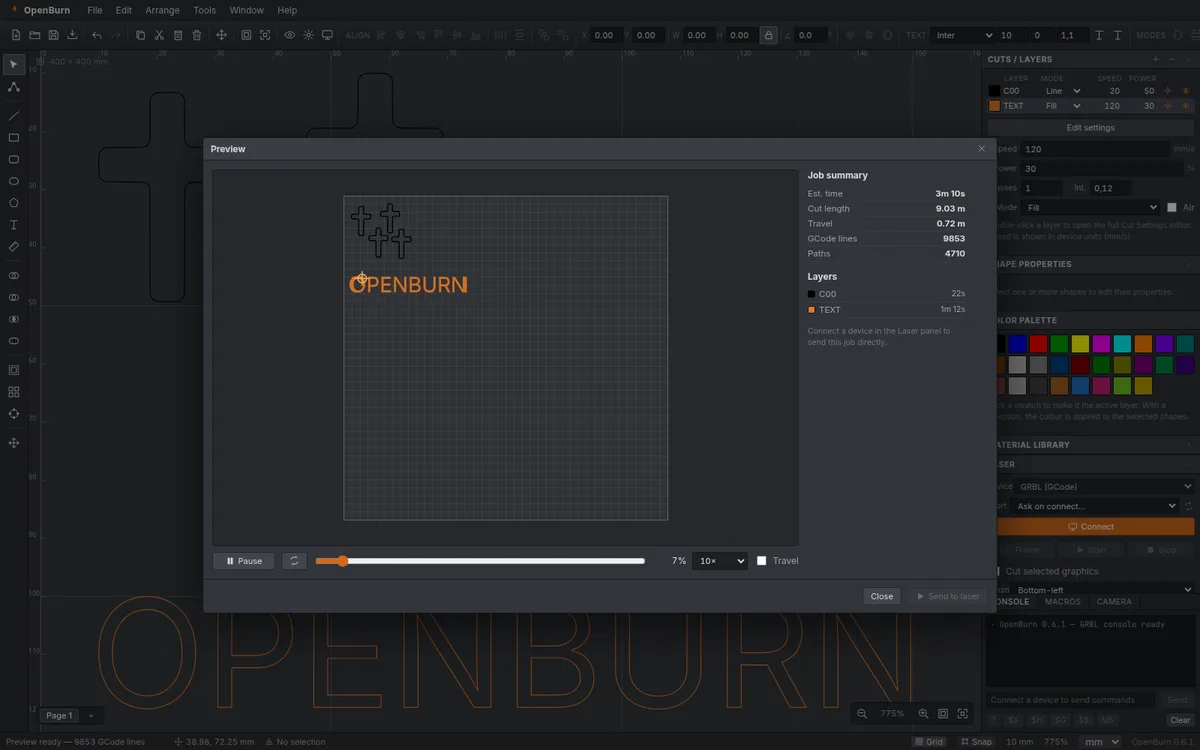
Every path, every travel move and the animated laser head. Check the estimated time and per-layer statistics, then start with confidence.
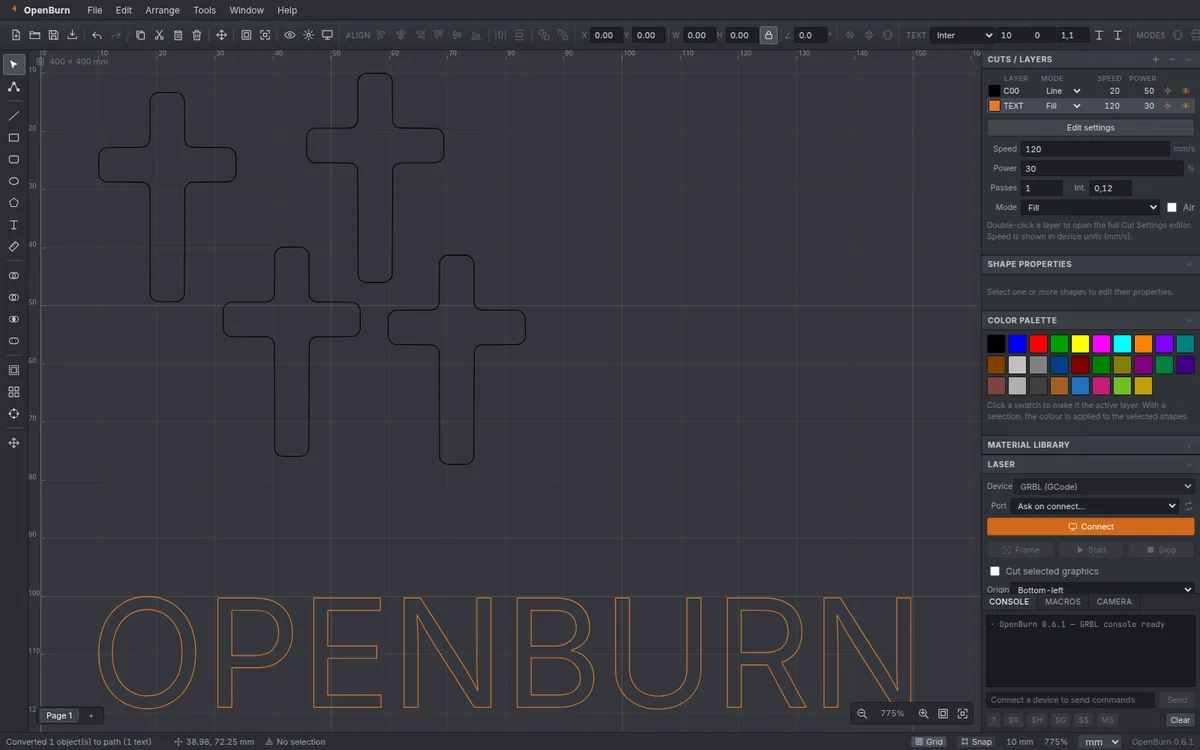
A LightBurn-style table with mode, speed, power, passes, interval and output toggles — plus a full cut settings editor for advanced options.
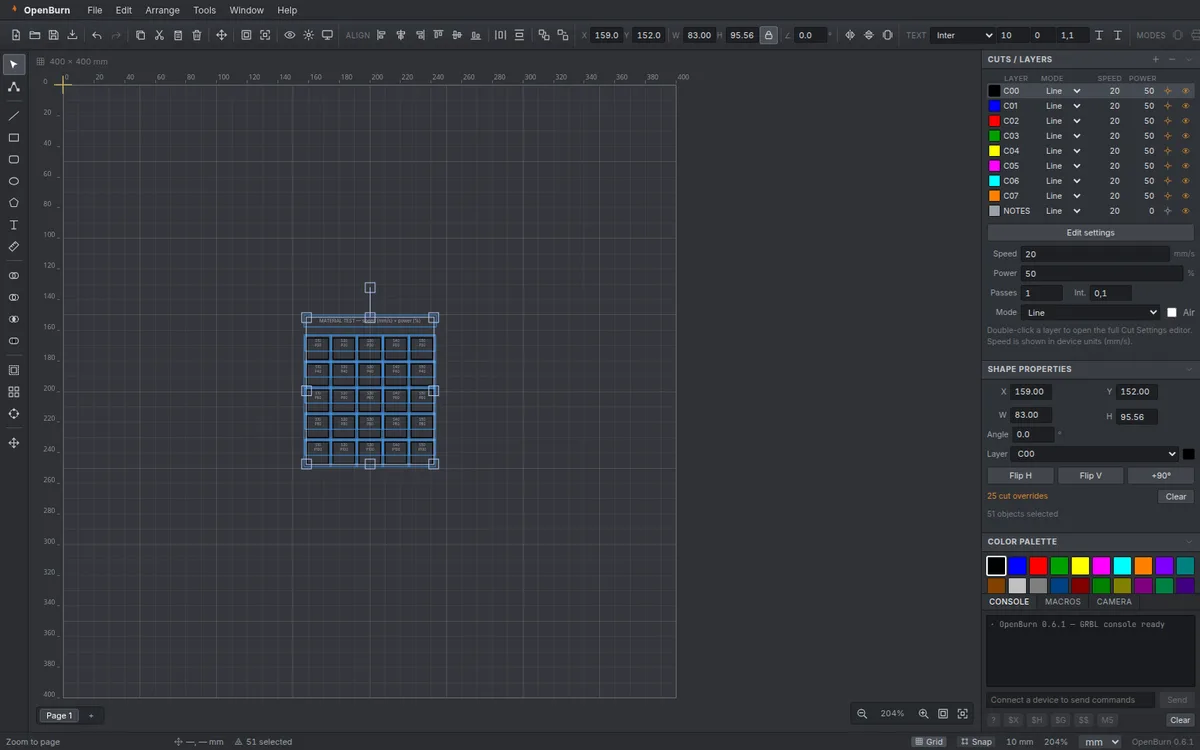
Generate a power × speed matrix with real sublayers, run the job and keep the winning settings in your material library.
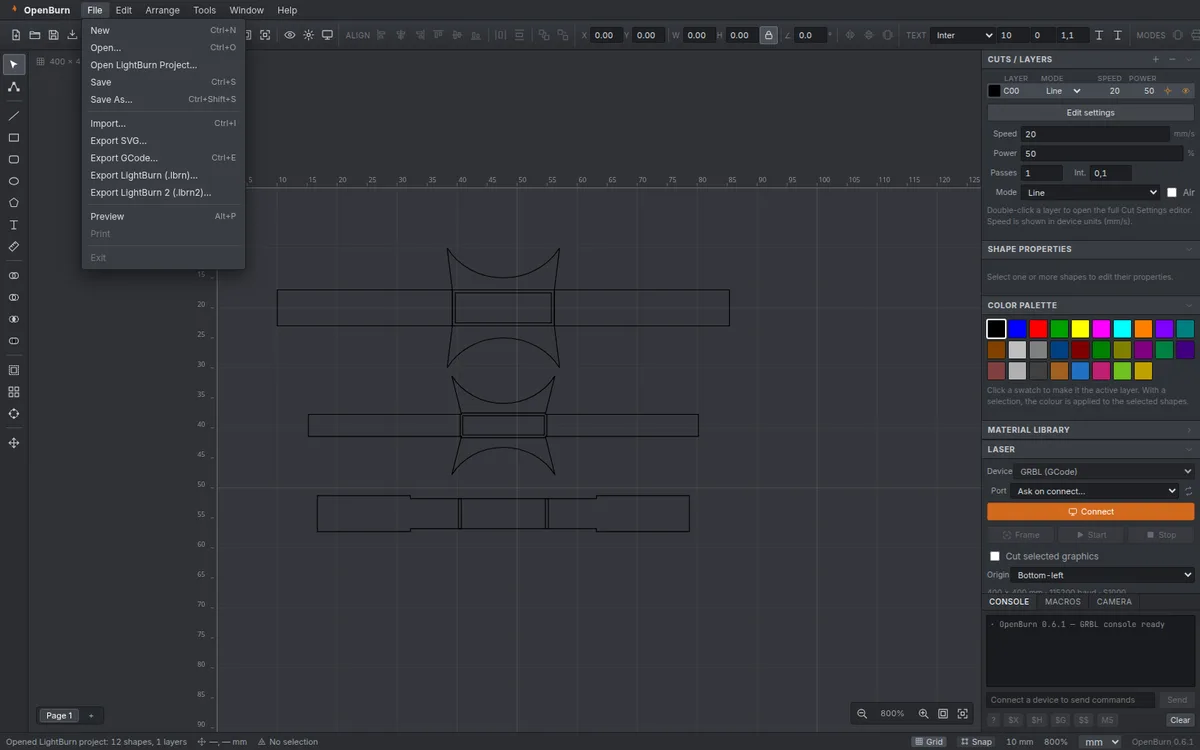
Open and export LightBurn projects with layers, groups, cut settings, text backup paths and bitmaps. Migrate without losing your library.
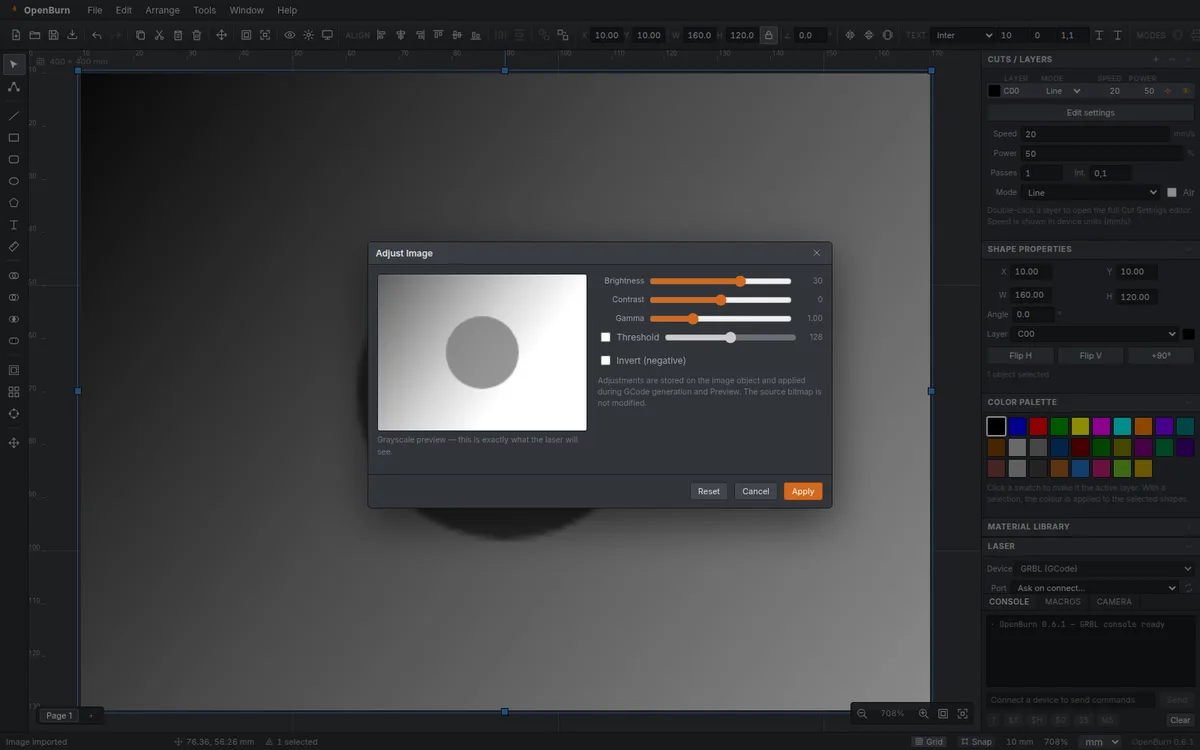
Adjust levels and curves, pick a dithering mode, then trace the image into editable vectors with a preview before you apply.
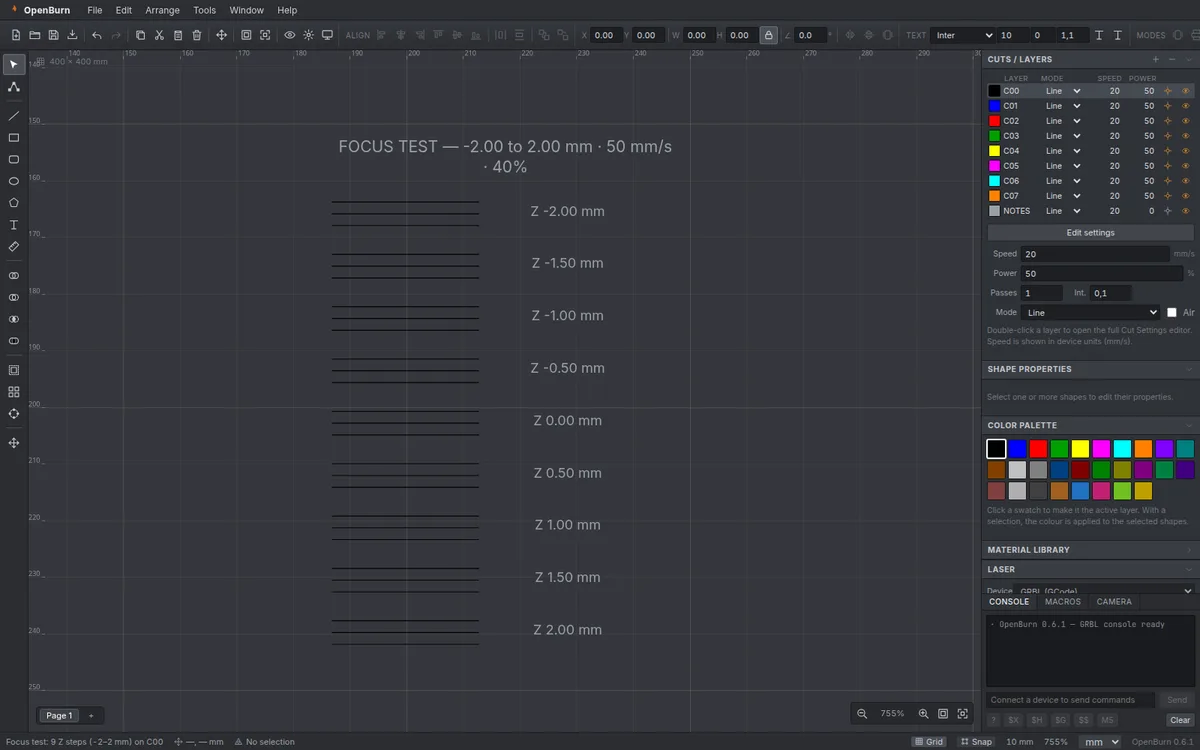
Run a Z ramp with labelled steps, then apply the measured offset per object. Kerf and interval tests complete the calibration set.
Download the latest build and try it with the built-in simulator — no laser required.